Connect your apps with Claude
Beginner · 15m
← Apply
1/16
Nudgie
— your AI coach
Active
AI
Preparing your session…
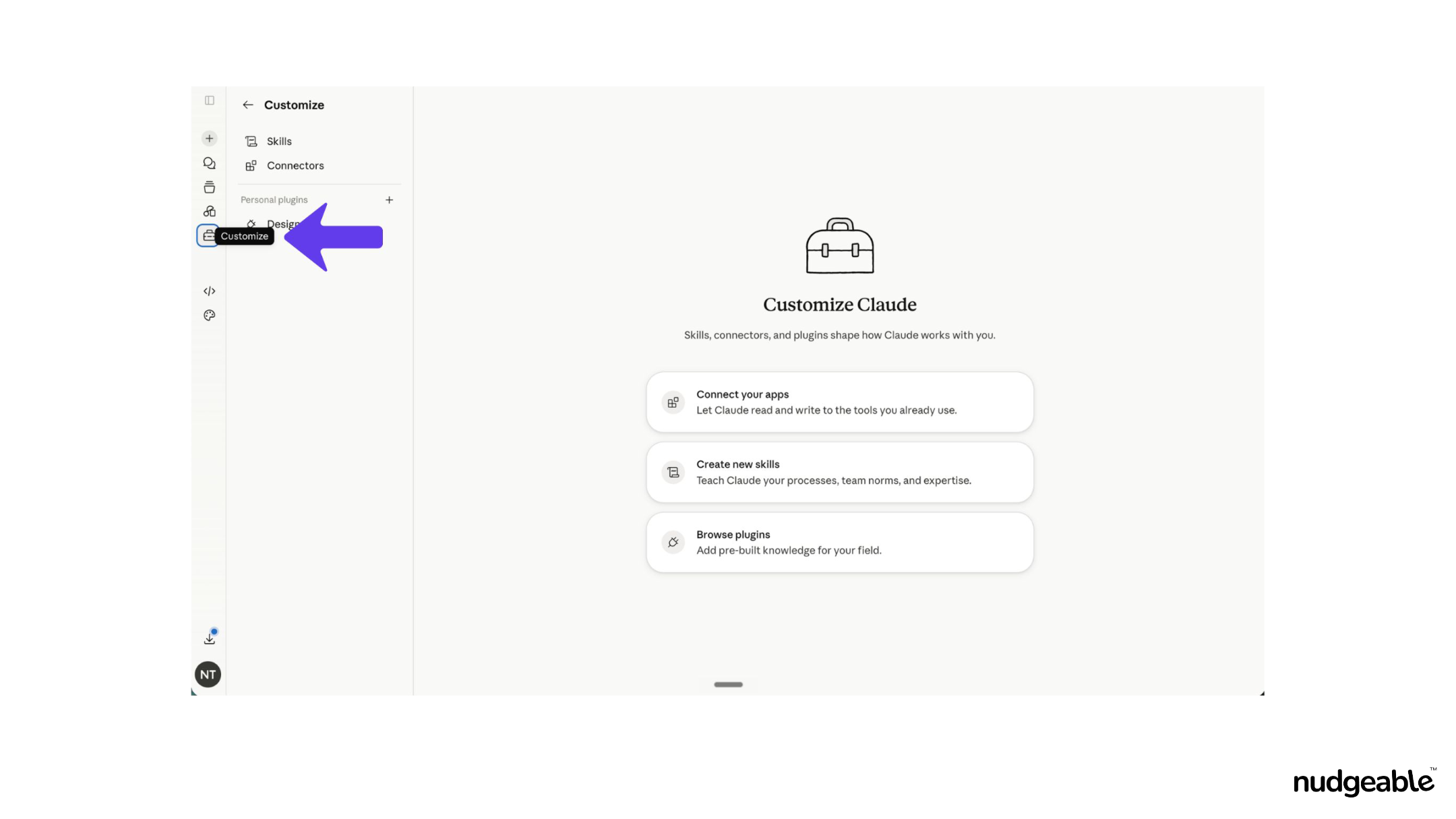
Step 1 — Open the Connectors Tab
ACTIVITY
Claude
Connect your apps with Claude
Connect Gmail, Calendar & Drive with claude
🎯 GOALS
✓
Learn to connect apps with claude
🔑 ACCESS YOU'LL NEED
·
Claude, Gmail
STEPS
1
Open the Connectors Tab
2
Click Connect Your Apps
3
Access Settings from the Chat Interface
4
Select Settings from the Account Menu
5
Navigate to Connectors Inside Settings
6
Follow the Redirect to Customize
7
Connect Gmail
8
Select Your Google Account
9
Confirm the Sign-In Request
10
Grant Gmail Permissions
11
Confirm Gmail Is Connected
12
Set Read-Only Tools to Always Allow
13
Configure Write and Delete Tool Permissions
14
Connect Google Calendar
15
Connect Google Drive
16
Verify Google Drive Is Live
Activity Video
AI Feature

 Claude