Build automated workflows with Claude Skills
Intermediate · 25m
← Apply
1/15
Nudgie
— your AI coach
Active
AI
Preparing your session…
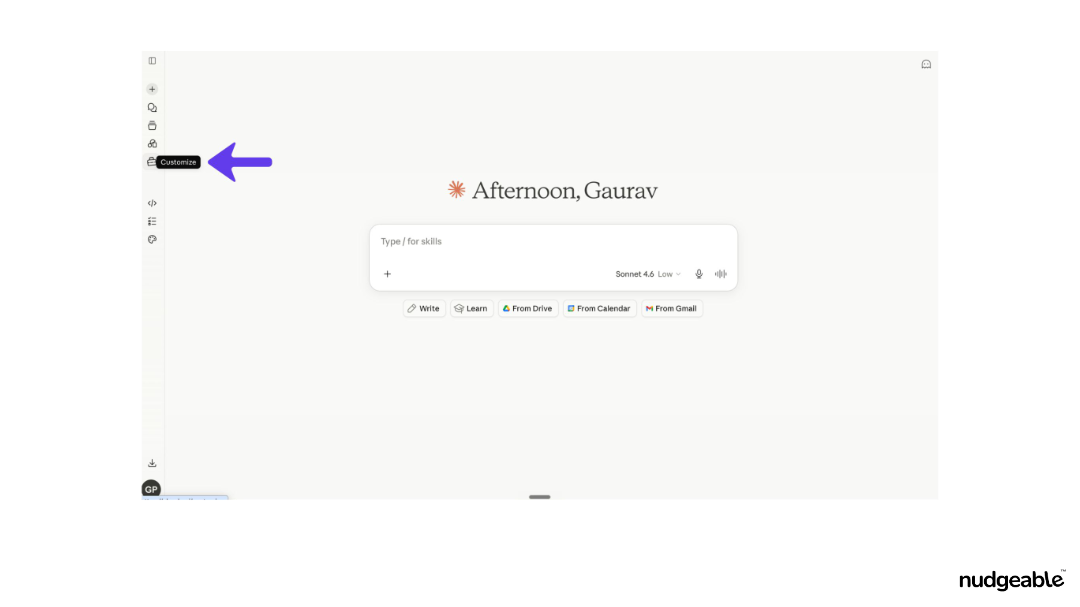
Step 1 — Opening the Customize Menu
ACTIVITY
Claude
Build automated workflows with Claude Skills
Use the skill creator to build, test, and invoke a custom automation from the chat bar.
🎯 GOALS
✓
Convert a multi-step workflow into a saved skill you can trigger with one command.
🔑 ACCESS YOU'LL NEED
·
Claude
STEPS
1
Opening the Customize Menu
2
Selecting Create New Skills
3
Exploring the Skills Directory
4
Invoking a Skill via the Slash Command
5
Submitting Your Workflow Request
6
Answering the Data Type Question (Step 1 of 3)
7
Answering the Customization Question (Step 3 of 3)
8
Reviewing the Generated Skill and Saving
9
Uploading Real Data to Validate the Skill
10
Final Save of the Validated Skill
11
Uploading a Pre-Built Skill File
12
Verifying the Skill Deployment Details
13
Confirming the Skill Appears in the Chat Menu
14
Running the Skill with a Live Data File
15
Reviewing the Automated Email Output
📥 DOWNLOADS
📗
Tickets Data for Skill
xlsx
↓
Activity Video
AI Feature

 Claude